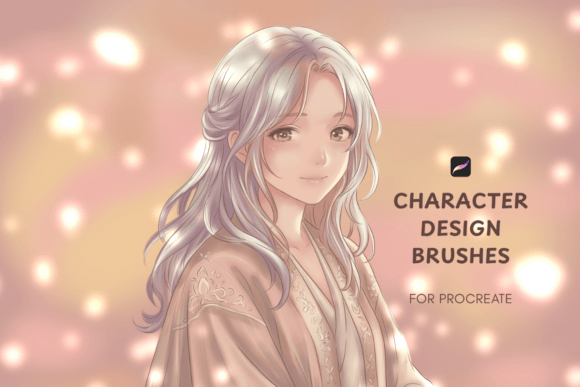
Character Design Procreate Brushes for Concept Artists
For digital artists working in concept design, having the right tools can make all the difference. Character Design Procreate Brushes offer a streamlined way to bring characters and environments to life without getting bogged down by technical settings. Whether you're developing a character for a game, film, or personal portfolio, this brush set is built to support a smooth, intuitive workflow from idea to final illustration.
What’s Included in the Brush Set?
The Character Design Procreate Brushes pack includes 15 specialized .brushset files, each tailored for different aspects of character and environment creation. These brushes range from crisp linework tools for defining facial features and clothing textures, to soft atmospheric brushes for shading and background depth. Every brush is optimized for Procreate 5 and later versions, ensuring compatibility across all supported iPad models.
Along with the brushes, you’ll receive a detailed PDF user guide that walks you through the installation process step by step. There’s no need to wrestle with complicated setup—just download, import, and start creating right away.
Why These Brushes Stand Out
Many brush sets focus on one aspect of digital painting—either linework or texture—but this kit balances both. The brushes are designed with versatility in mind, allowing you to shift between fine details and broad strokes without switching tools constantly. This adaptability is especially useful when working on complex scenes where characters and environments need to feel cohesive.
- Versatile Textures: From metallic surfaces to organic skin tones, these brushes handle a wide range of material types.
- Efficient Workflow: No need to adjust pressure sensitivity or opacity settings constantly—these brushes respond naturally to your input.
- Professional-Grade Output: Whether you're creating concept art for a pitch or refining a personal project, the results look polished and intentional.
Practical Applications Across Industries
This brush set isn’t limited to a single use case—it’s built for flexibility across creative fields. Here are a few ways professionals and hobbyists can put it to work:
- Game Development: Quickly iterate on character designs and environment concepts for 2D or 3D asset references.
- Comic and Illustration Work: Use the linework brushes for inking and the wash brushes for expressive shading.
- Storyboarding: Speed up your visual storytelling process with brushes that support both speed and detail.
- Concept Art for Film: Build atmospheric backgrounds and detailed character renderings with minimal effort.
- Personal Portfolios: Showcase a consistent visual style across your work to attract clients or collaborators.
How It Enhances Your Creative Process
One of the biggest challenges in digital art is maintaining a natural flow without constantly adjusting tools. Character Design Procreate Brushes eliminate that friction. Because the brushes are pre-configured for responsiveness and texture control, you can focus more on the creative decisions and less on the technical setup.
For example, when designing a futuristic character with armor and tech accessories, you can switch between a hard-edged brush for metallic surfaces and a softer brush for ambient shading—without breaking your rhythm. This kind of seamless transition supports faster iteration and more confident mark-making.
Real-World Examples and Use Cases
Let’s say you’re a freelance concept artist preparing a pitch for a sci-fi project. You need to show both the character and the environment they inhabit. With this brush set, you can start with a rough sketch, then move into detailed linework for the character’s gear, and finally use the atmospheric brushes to build a moody, rain-soaked cityscape in the background.
Or imagine you're a student learning digital painting for the first time. The included user guide makes it easy to understand which brushes work best for different tasks, helping you develop good habits early on without getting lost in a sea of options.
Choosing the Right Tools for Your Workflow
When selecting brushes for character design, it’s important to consider how they fit into your overall process. Do you sketch loosely and refine later, or do you prefer tighter control from the start? Character Design Procreate Brushes accommodate both styles, but they really shine when used in a dynamic, exploratory workflow.
Also, consider how much time you spend adjusting brush settings. Many artists lose valuable creative time tweaking sliders—this set minimizes that by offering brushes that "just work" out of the box. That means more time drawing, and less time tinkering.
Final Thoughts and Recommendations
If you're a concept artist, illustrator, or designer looking to refine your digital workflow, Character Design Procreate Brushes offer a well-balanced toolkit that supports both speed and quality. The set is especially useful for those who want to maintain a cohesive visual language across characters and environments without switching between multiple brush libraries.
For best results, take time to experiment with layer blending modes and brush opacity to get the most out of each tool. And if you're new to Procreate, this set is a great way to learn how different brushes affect your workflow while still producing professional results.