Realistic Prima Watercolor Brushes for Procreate
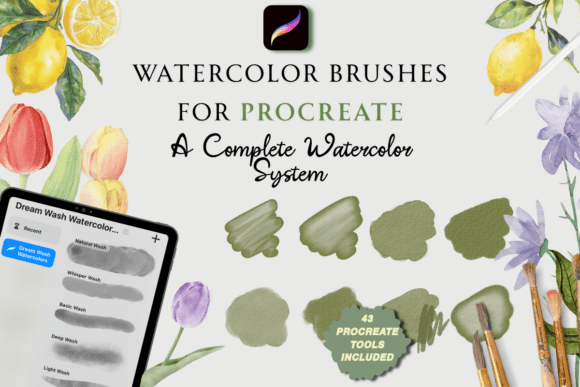
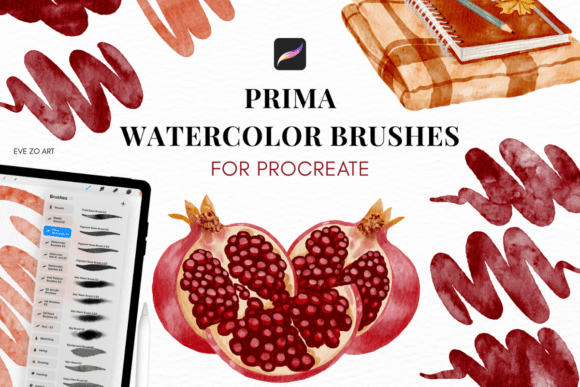
Creating digital art that feels like traditional watercolor can be challenging. That’s where the Realistic Prima Watercolor Brushes come in. Designed for Procreate, this brush set brings the organic textures, blending, and depth of real watercolor to your iPad. Whether you're a beginner or a seasoned artist, these brushes help you achieve professional results with minimal effort.
What Makes These Brushes Special?
The Realistic Prima Watercolor Studio includes 30 custom brushes that replicate the behavior of real watercolor tools. From fine-point details to soft washes, each brush responds naturally to pressure and motion. You get the look and feel of traditional painting without the mess or cleanup. This set is ideal for illustrators, designers, educators, and anyone who wants to create expressive, painterly artwork digitally.
More Than Just Brushes
Along with the brushes, you receive 8 high-quality canvas textures that mimic real watercolor paper. These canvases enhance realism by adding subtle grain and depth to your work. The pack also includes 8 curated color palettes to help you choose harmonious hues, plus a user-friendly PDF guide for easy setup. No complicated steps—just import and start painting.
Perfect for a Range of Uses
These brushes are versatile enough for many creative projects. Here are a few examples:
- Illustration: Bring stories to life with soft, flowing colors and textures.
- Journaling: Add a personal, hand-painted touch to your digital bullet journal.
- Teaching: Use them in digital art classes to show watercolor techniques.
- Marketing: Create unique visuals for blogs, social media, or product branding.
- Freelance Work: Offer clients a more organic, handcrafted look in your digital illustrations.
Why Artists Love Realistic Prima Watercolor Brushes
Many digital watercolor tools feel artificial or overly smooth. These brushes, however, were created to feel like real paint on paper. They blend naturally, respond to layering, and offer a level of depth that’s rare in digital brushes. This makes them a favorite among artists who want to maintain a traditional aesthetic while working digitally.
Getting Started with Realistic Prima Watercolor Studio
If you're new to digital painting or just starting with Procreate, the Realistic Prima Watercolor Brushes are easy to learn. Import the brush set, choose a canvas texture, and begin experimenting with different brush strokes. The included color palettes help you start with a realistic color scheme, and the user guide walks you through the setup step by step.
Choosing the Right Canvas Size
The pack includes two canvas size options: iPad Standard (3000×4000 px) and iPad Large (4000×6000 px), both at 300 DPI. These high-resolution canvases are perfect for printing or sharing online. Whether you're creating art for social media or preparing for a gallery show, the right canvas size ensures your work looks sharp and professional.
Who Should Use This Brush Set?
This set is great for anyone who wants to explore digital watercolor without sacrificing authenticity. It’s especially useful for:
- Traditional artists transitioning to digital media
- Freelancers needing a painterly look for client work
- Teachers demonstrating watercolor techniques online
- Bloggers and content creators looking for a personal touch
- Hobbyists who enjoy experimenting with textures and colors
How to Make the Most of Your Brushes
To get the best results, try layering colors like you would with real watercolor. Start with lighter tones and build up darker areas gradually. Use the wash brushes for backgrounds and the detail brushes for fine lines and textures. Don’t be afraid to mix and match brushes to create unique effects.
Compatibility and Setup
The Realistic Prima Watercolor Studio is built for Procreate 5 and newer versions on all supported iPad models. Installation is simple—just tap to import the brushes and canvases. If you run into any issues, the included PDF guide offers clear instructions to help you get started quickly.
Share Your Art with the Community
Once you start creating, you may want to share your work. The creator of this brush set encourages users to showcase their art on Instagram at evezoriart. Seeing how others use the brushes can inspire new techniques and ideas. Plus, it’s a great way to connect with fellow artists and grow your creative network.
Final Thoughts
The Realistic Prima Watercolor Brushes offer a seamless way to create authentic watercolor art on your iPad. With a full set of brushes, realistic textures, and helpful tools, this collection supports both learning and professional work. Whether you're painting for fun, teaching others, or building a portfolio, these brushes help bring your vision to life with the warmth and charm of traditional watercolor.