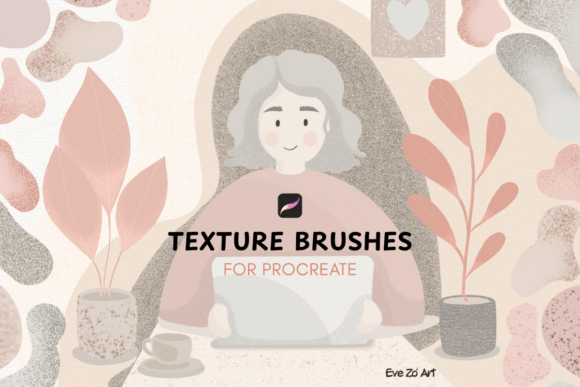
Enhance Your Digital Art with Texture 1 Brushes for Procreate
Bringing Realism and Depth to Digital Illustrations
Texture plays a crucial role in making digital art feel tangible and immersive. Whether you're creating concept art, character designs, or environmental scenes, the right textures can elevate your work from flat and lifeless to rich and dimensional. The Texture 1 Brushes for Procreate offer a powerful yet intuitive way to incorporate realistic surface details into your digital illustrations without the need for complex settings or advanced techniques.
What Is Texture 1 for Procreate?
The Texture 1 Procreate Pack is a curated set of 25 professional-grade texture brushes designed specifically for digital artists using Procreate. These brushes simulate a wide variety of surfaces—from subtle organic textures to gritty, weathered finishes—allowing artists to add depth and realism with minimal effort. Whether you're looking to enhance the surface of a rocky landscape or add a weathered look to a character’s clothing, this brush set provides the tools you need to achieve authentic results.
Key Features of Texture 1 Brushes
- 25 High-Quality Texture Brushes – Each brush is designed to replicate real-world surfaces, from fine grain details to broad, atmospheric washes.
- Easy Installation – Comes with a detailed user guide PDF to help you quickly import and organize the brushes in Procreate.
- Instant Download – After purchase, you receive a ZIP file containing both the .brushset files and the user guide for immediate use.
- Procreate 5+ Compatibility – Works seamlessly on all iPad models that support the Procreate app.
Why Texture Matters in Digital Art
Textures add a sensory dimension to digital illustrations, making surfaces feel more realistic and engaging. Without texture, even the most detailed drawing can appear flat and artificial. The Texture 1 Brushes for Procreate help artists introduce subtle or dramatic surface variations that mimic real-world materials like fabric, stone, wood, and more. This allows for richer storytelling and a more immersive visual experience.
Who Can Benefit from Texture 1?
These brushes are ideal for a wide range of digital artists, including:
- Concept Artists – Enhance environmental designs with realistic surface details.
- Illustrators – Add depth and character to portraits, editorial work, and book illustrations.
- Comic and Manga Artists – Introduce gritty or atmospheric effects to backgrounds and textures.
- Freelancers and Designers – Speed up workflow with ready-to-use brushes that deliver professional results.
Real-World Applications of Texture 1 Brushes
Here are a few practical ways you can incorporate the Texture 1 Brushes for Procreate into your creative process:
- Environmental Storytelling – Add weathering effects to buildings, ground surfaces, or foliage to enhance the mood of a scene.
- Character Design – Use gritty or fabric-like textures to give clothing and accessories a more realistic appearance.
- Portrait Art – Introduce subtle grain or paper-like textures to make digital portraits feel more organic.
- UI/UX and Concept Design – Use textures to create depth in interface mockups or futuristic design concepts.
Strengths and Considerations
One of the standout features of the Texture 1 Brushes for Procreate is their ease of use. Unlike many texture brushes that require layer blending or opacity adjustments, these brushes are optimized for immediate use. However, it’s important to understand that texture application is subjective and depends heavily on the artist’s intent and style.
Strengths:
- Highly customizable for different artistic styles.
- No need for external texture overlays or blending modes.
- Well-suited for both subtle and dramatic texturing effects.
Considerations:
- May not replace advanced texture workflows for hyper-realistic art.
- Best used in combination with other brushes for layered effects.
How to Evaluate Suitability for Your Project
When considering whether the Texture 1 Procreate Pack is right for your needs, ask yourself the following questions:
- Do I frequently work on digital illustrations where surface detail enhances the storytelling?
- Am I looking for a quick and effective way to add texture without complex workflows?
- Do I want brushes that are easy to install and integrate into my existing Procreate setup?
If the answer is yes to any of these, then Texture 1 could be a valuable addition to your digital toolkit.
Maximizing the Potential of Texture 1 Brushes
To get the most out of the Texture 1 Brushes for Procreate, consider the following tips:
- Layer with Purpose – Use texture brushes selectively to enhance specific areas rather than overwhelming the entire canvas.
- Experiment with Blend Modes – Try using the brushes in Multiply, Overlay, or Soft Light modes for varied effects.
- Combine with Other Tools – Layer textures over base colors or under details to create a sense of depth and realism.
- Adjust Brush Size and Opacity – Smaller textures can add fine details, while larger ones can be used for atmospheric backgrounds.
Where to Find Inspiration and Share Your Work
Many artists who use the Texture 1 Procreate Pack share their creations on platforms like Instagram. If you're looking for inspiration or want to showcase your own textured artwork, consider following the creator on Instagram at evezoriart. It's a great way to see how other artists are using the brushes and get ideas for your own projects.
Conclusion: A Versatile Tool for Digital Artists
The Texture 1 Brushes for Procreate are more than just a brush set—they're a powerful way to bring depth, realism, and character to your digital art. Whether you're a professional illustrator, a hobbyist, or someone just starting out, these brushes offer a simple yet effective way to enhance your work. With a thoughtful design, easy installation, and a wide range of textures, this pack is a valuable resource for any digital artist looking to add a tactile quality to their creations.