Enhance Your Procreate Art with Basic Patterns 2.0 Brushes
What Are Basic Patterns 2.0 Procreate Brushes?
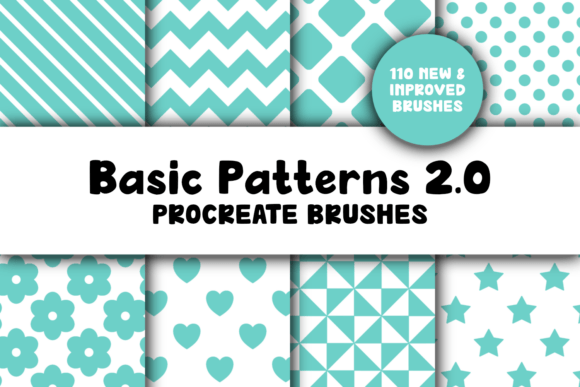
Basic Patterns 2.0 for Procreate is a thoughtfully updated brush pack designed to streamline your digital art workflow. With 110 unique pattern brushes organized into intuitive sub-categories, this set brings creative versatility and ease of use to your fingertips. Each brush is crafted to deliver seamless strokes, making it easier than ever to add texture, rhythm, and visual interest to your illustrations, designs, and digital creations.
Whether you're sketching, designing for print, or creating content for social media, these brushes are a practical addition to your toolkit. The included .pdf guide helps you quickly adjust brush sizes and understand how to make the most of each pattern. Just note that while the brushes themselves are seamless, they won’t create repeat patterns automatically—a small limitation that doesn’t detract from their usefulness in most creative contexts.
Who Benefits From Using These Brushes?
The value of Basic Patterns 2.0 varies depending on your experience level, creative goals, and how you use Procreate. Let’s explore how different users might interact with and benefit from this brush set.
Beginners: A Gateway to Creative Expression
If you're just starting out with digital art, Basic Patterns 2.0 offers a low-barrier entry into pattern-based design. The intuitive organization of the brushes and the included instructions help you experiment without needing advanced technical knowledge. You can add texture to your sketches, create backgrounds for digital journaling, or explore pattern-based illustrations with confidence.
For example, a beginner creating a personal art journal might use the dots or grid brushes to add subtle background textures that enhance the overall composition without overwhelming the focal point.
Experienced Artists: Streamlined Creativity
Seasoned Procreate users will appreciate the efficiency these brushes bring to the creative process. Instead of manually drawing patterns or importing textures, you can apply consistent, scalable designs directly within your canvas. This saves time and allows for spontaneous experimentation.
A professional illustrator working on a book cover might use the chevron or honeycomb brushes to add structured background elements that guide the viewer’s eye toward the central imagery. The ability to adjust brush size quickly ensures precision across different project scales.
Educators and Creators: Tools for Visual Learning
For educators and content creators, especially those using Procreate to design teaching materials or digital courses, these brushes offer a way to make visuals more engaging. Patterns can be used to highlight key points, separate sections, or add visual rhythm to slides and infographics.
An online art instructor might use the stars or hearts brushes to create fun, interactive worksheets for students. These visual elements make learning more enjoyable and help reinforce concepts through creative engagement.
Entrepreneurs and Small Business Owners: Branding and Marketing Assets
Business owners who create their own marketing materials—like social media graphics, packaging mockups, or product labels—can benefit from the polished look these brushes provide. The patterns help maintain a consistent visual language across different assets, supporting brand recognition.
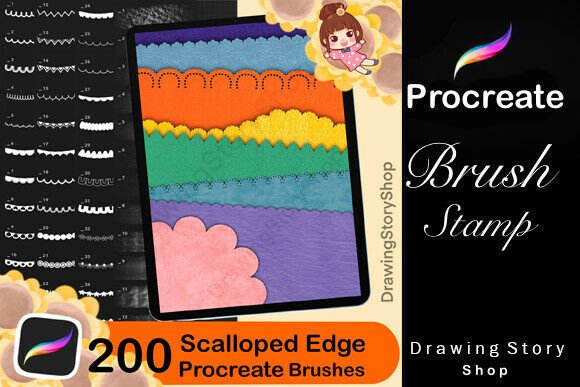
A boutique owner designing Instagram posts might use the scallops or horizontal lines brushes to frame text or highlight featured products. These small design touches can elevate the overall aesthetic and professionalism of the content.
Hobbyists and DIY Enthusiasts: Personalized Creative Projects
For those who enjoy creative hobbies—like digital scrapbooking, card making, or custom illustration—these brushes open up new possibilities. Whether you're designing a personalized greeting card or creating a digital mood board, the variety of patterns ensures you can match the brush to your vision.
A hobbyist creating a digital planner might use the grid brush to design weekly layouts or the dots brush to mark important dates. These tools help maintain a cohesive and functional design without requiring advanced layout skills.
Key Considerations When Evaluating the Brush Set
When deciding whether Basic Patterns 2.0 is right for you, it’s helpful to consider a few key factors that may influence your experience:
- Compatibility: These brushes work exclusively with Procreate 5 or later versions. If you're not already using the latest Procreate update, you’ll need to upgrade before importing the brush set.
- Learning Curve: While the brushes are easy to use, understanding how to adjust pressure sensitivity, opacity, and size for each pattern can take some experimentation. The included PDF guide is a helpful starting point.
- Creative Flexibility: With 110 brushes across multiple categories, there’s plenty of room for creative exploration. However, if your goal is to create repeat tile patterns for textiles or wallpaper, you'll need to use external tools or manual techniques, as Procreate doesn’t support seamless pattern creation via brushes.
- Performance: At 33.9 MB, the file is compact and easy to download, even on mobile networks. Once installed, the brushes perform smoothly without lag, making them ideal for real-time creative work.
How to Get the Most Out of Basic Patterns 2.0
Here are a few tips to help you make the most of this brush set:
- Organize Your Brushes: Take time to explore the sub-categories included in the .brushset file. Grouping brushes by type—like lines, geometric shapes, or organic textures—can speed up your workflow.
- Customize Brush Settings: Don’t be afraid to tweak pressure sensitivity, spacing, and grain settings to match your style. Some brushes may look better with a light touch, while others shine when used boldly.
- Layer for Depth: Use multiple pattern brushes together to create layered backgrounds. Try combining hexagon with dots or diagonal lines with grid for a dynamic effect.
- Test Across Projects: Experiment with different brush uses—digital art, lettering, UI design, or even architectural sketches—to see which patterns resonate with your creative style.
Final Thoughts
Basic Patterns 2.0 Procreate Brushes offer a practical, versatile, and well-organized set of tools for artists and creators at all levels. Whether you're a beginner looking to explore digital art or a professional seeking efficiency in your workflow, this brush set can help you achieve your creative goals with less effort and more inspiration.
Its real value lies in how it adapts to your needs—whether you're creating content for personal enjoyment, professional projects, or educational use. If you're already invested in Procreate and looking for ways to enhance your visual storytelling, this brush set is a smart addition to your digital toolkit.